
Stop putting off those upgrades. Active IQ is here to help.

Rip Wilson
 Whether for operating systems or applications, there are a lot of different opinions on upgrades. Some people hesitate to upgrade, on the theory that “If it ain’t broke, don’t fix it,” while others obsessively want to make sure they have the “latest and greatest” at all times. (I’m in the latter category, by the way.)
One thing we can all agree on – upgrades have value. They introduce new features, fix bugs, eliminate security vulnerabilities, and improve overall performance. But upgrades can take time. They often require planning. They’re easy to defer and even easier to forget about. We’re here to help.
Upgrade with confidence
NetApp® Active IQ® is a digital advisor that simplifies the proactive care and optimization of NetApp storage. It uses AIOps to uncover risk factors and recommend actions to improve system availability, security, and performance.When the recommended action is an upgrade, think of Active IQ as your upgrade advisor. It gives you the insights and guidance to make sure you’re prepared and that your upgrade goes smoothly. Active IQ recommends versions, highlights benefits, checks interoperability, and plans the process. Here’s how it works.
First, the upgrade widget on your dashboard lets you know when recommended upgrades are available. The widget is on the main dashboard (shown below), as well as on cluster-level, system-level, and node-level dashboards.
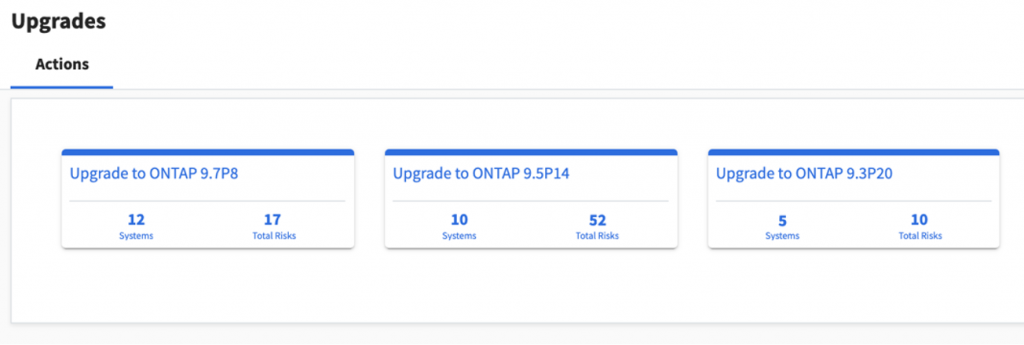
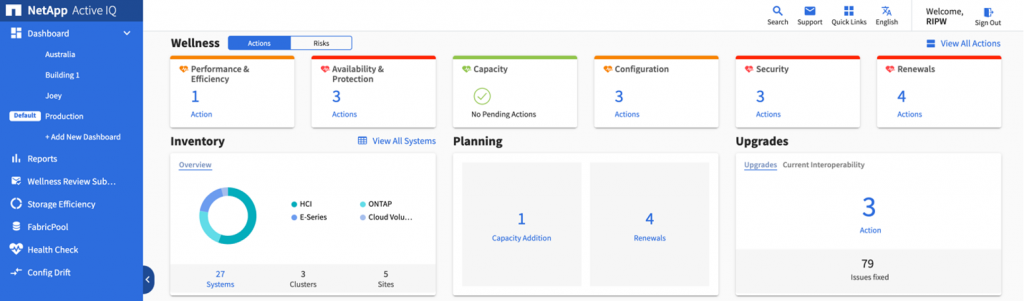 Clicking on the number of upgrade actions begins the workflow. On each action card, Active IQ shows the recommended software version, the number of systems that should be upgraded to that release, and the number of risks that will be eliminated.
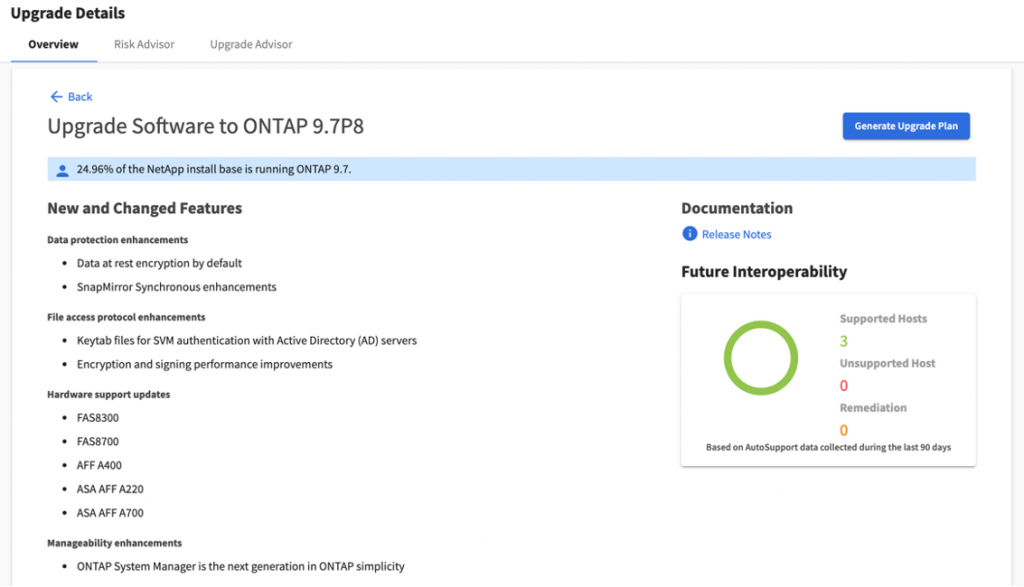
 When you click on an action card, Active IQ shows you the features and benefits of that release, as well as how many of your fellow customers are running that version. Active IQ will also perform an automated interoperability check if it has data on your infrastructure components from Active IQ OneCollect (login required). If everything looks good, you can go ahead and generate an upgrade plan.
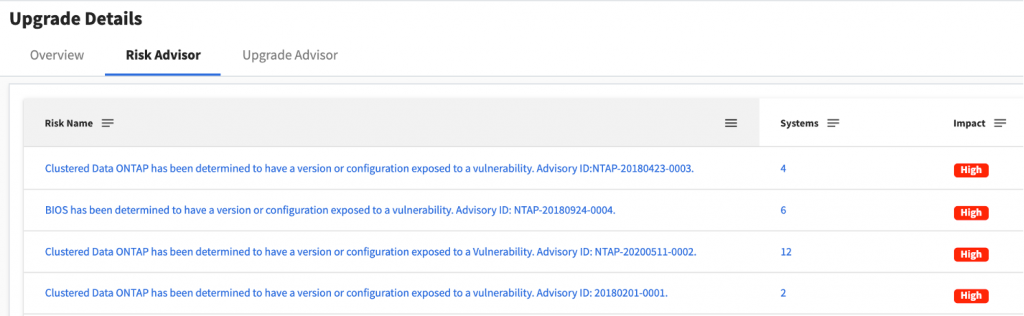
 For those looking for a little more insight, the Risk Advisor tab provides details on which risks will be remediated with the upgrade.
 Finally, the Upgrade Advisor tab lets you choose which systems are included in your upgrade plan. You can also change the target OS and build a plan based on that version.
 Once your plan is in place, it’s time for your upgrade.
Firmware updates are even easier
A few months ago, I wrote about how Active IQ can help you find and fix security vulnerabilities, which can often be mitigated with a firmware update. As your upgrade advisor, Active IQ figures out which systems need an update and then uses Ansible playbooks to automatically update drive, shelf, and service processor firmware for each of those systems. The playbooks are reusable, and firmware updates can become a routine step in your Ansible-based configuration management activities.Simple, intelligent storage health with Active IQ
Being proactive about storage health is smart. Finding time for it is another story. NetApp Active IQ provides constant visibility into the health of your environment, lets you know when attention is required, and gives you clear guidance for any actions – such as upgrades. Making sure that all your systems are up to date is one of the easiest ways to improve storage health, availability, and performance. Active IQ is ready to assist. Login to get started today.
Rip Wilson
Rip Wilson is a principal product marketing manager at NetApp with over 20 years of experience developing compelling messaging and content that communicates our unique business value. Rip holds a degree in business management from Georgia Tech. He is based in Colorado and enjoys golf, tennis, and poker.
